You do not need coding skills, an expensive budget, or a web developer to create a personal website. Whether you want to showcase your work, build your professional brand, attract clients, or share your ideas with the world, you can create a website yourself using beginner-friendly tools.
The best part? You do not have to build everything from scratch. Modern website builders provide ready-made templates, drag-and-drop editors, and simple customization options that make getting started much easier.
In this guide, you will learn how to build a personal website without hiring a developer, which platforms to consider, what your website needs, and how to get it online without spending more than necessary.
Why Do You Need a Personal Website?
A personal website gives you a space online that you control. Unlike a social media profile, it allows you to organize your information, showcase your work, and present yourself professionally in one place.
Here are a few reasons to consider building one:
- Showcase your work: Display writing samples, designs, projects, case studies, or other achievements.
- Attract clients and opportunities: Give potential clients, employers, and collaborators an easy way to learn about you.
- Build your personal brand: Present your skills, experience, and personality consistently.
- Create an online home for your ideas: Publish articles, share resources, or build an audience around your interests.
- Improve your online visibility: A well-organized website can appear in search results when people look for your name, services, or expertise.
You do not need a complicated website to achieve these goals. A simple, professional site with a few useful pages is often enough to get started.
1. Choose a Website Builder
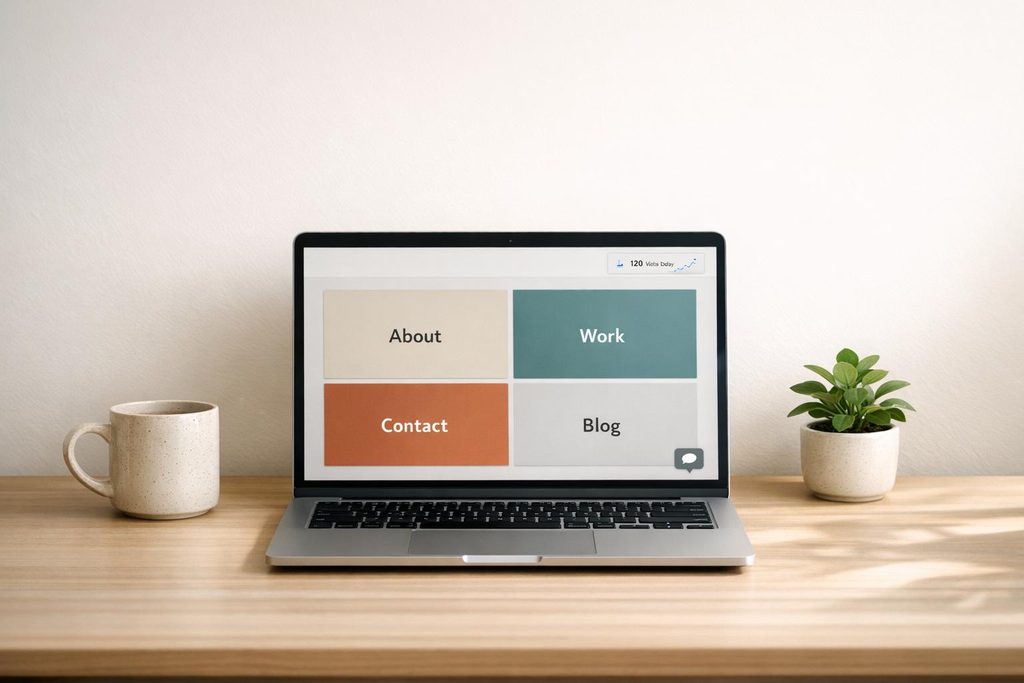
The easiest way to create a personal website without coding is to use a website builder. These platforms provide templates and tools that let you create pages, add images, and customize your design without writing code.
Here are three popular options to consider.
Wix
Wix is a beginner-friendly website builder with customizable templates and a visual editor. You can use it to create a portfolio, personal website, or small business site.
It is worth considering if you want flexibility over the appearance of your website and prefer to make design changes yourself.
Best for: Beginners who want a visual, customizable website.
Website: https://www.wix.com/
Squarespace
Squarespace is known for its polished templates and design-focused approach. It can be a good choice for creatives, consultants, photographers, writers, and professionals who want their work to look organized and visually appealing.
Best for: People who want a stylish website without spending too much time on design.
Website: https://www.squarespace.com/
WordPress.com
WordPress.com lets you create a website using themes and built-in publishing tools. It is particularly useful if you want to publish articles, maintain a blog, or gradually expand your website.
Keep in mind that WordPress.com and WordPress.org are different. WordPress.com provides hosted website plans, while WordPress.org is the open-source software commonly used with a separate hosting provider.
Best for: Writers, bloggers, and people who want room to expand their online presence.
Website: https://wordpress.com/
Which website builder should you choose?
There is no single best option for everyone. Choose based on what you want to accomplish.
| Your goal | Platform to consider |
|---|---|
| A simple personal website | Wix |
| A polished creative portfolio | Squarespace |
| A blog or content-focused website | WordPress.com |
Before committing, check each platform’s current plans, storage limits, custom-domain options, and publishing features. Free plans and trials may have restrictions, and a free trial is not the same as a permanently free website.
2. Choose a Domain Name
Your domain name is your website’s address, such as yourname.com. It is how people find your site online.
If you are creating a personal website, using your name is often a good starting point. If your preferred name is unavailable, consider adding a word related to your profession or choosing another short, memorable variation.
For example:
janedoe.comjanedoecreative.comjanedoeportfolio.com
Try to choose a domain that is easy to spell, easy to remember, and appropriate for your long-term goals.
You can usually purchase a domain through a domain registrar or, in some cases, directly through your website builder. Compare the initial price with the renewal price before buying.
Do you need a custom domain immediately?
Not necessarily. Some platforms provide a free subdomain, which is useful for testing your website or getting started on a tight budget. However, a custom domain generally looks more professional and is easier to share.
If you are building a portfolio to attract clients or apply for jobs, a custom domain is worth considering when your budget allows.
3. Pick a Simple Website Template
Once you have chosen a platform, select a template that suits your purpose. You do not need to be a designer or spend hours deciding how every section should look.
Look for a template with:
- A clean, readable layout.
- Clear navigation.
- A prominent introduction or headline.
- Space to display your work or services.
- A contact section.
- A mobile-friendly design.
Avoid choosing a template simply because it looks impressive. The best template is one that helps visitors find what they need quickly.
You can customize the colors, fonts, images, and text to make the website feel like yours. Stick to two or three main colors and one or two font styles to keep the design consistent.
Remember, a simple website with useful content is better than a beautiful website that takes months to finish.
4. Add the Essential Pages
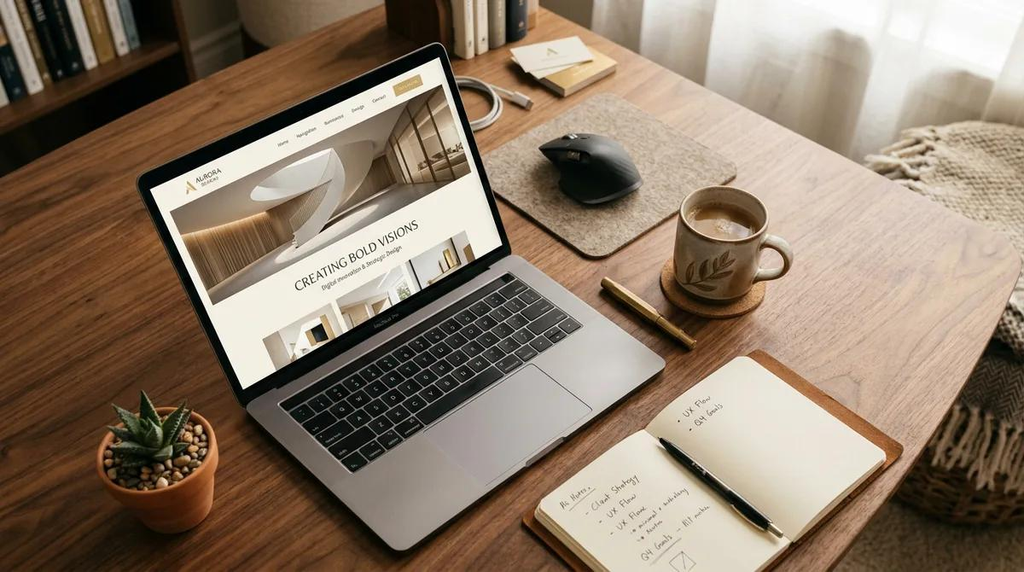
You do not need ten pages to make a personal website useful. Start with the essentials and add more as your needs change.
Home
Your homepage should explain who you are, what you do, and who you help.
Instead of a vague headline such as “Welcome to My Website,” use something more informative.
For example: “I’m a freelance writer helping businesses turn complex ideas into clear, engaging content.”
Follow your headline with a short introduction and a clear next step, such as viewing your portfolio or contacting you.
About
Use this page to introduce yourself, explain your experience, and share what makes your work valuable.
You do not have to tell your entire life story. Focus on the information a visitor needs to understand who you are and why they might want to work with you.
Portfolio or Services
If you are a freelancer or creative professional, this page is particularly important.
Include selected work samples, a short explanation of each project, and the skills or services you offer. If you are still building your portfolio, you can start with a few strong examples rather than waiting until you have dozens.
For other types of personal websites, this section could showcase projects, achievements, articles, or areas of expertise.
Contact
Make it easy for people to reach you. You can include a contact form, a professional email address, or links to your relevant social media profiles.
Only share contact details you are comfortable making public.
Optional pages: You can add a blog, testimonials, frequently asked questions, or a resources page later. Start with the pages that support your immediate goals.
5. Customize Your Website and Add Your Content
This is where your website begins to feel personal.
Upload a professional photo or a suitable brand image, write your introduction, add your work samples, and adjust the design to match your style.
Keep your writing clear and specific. Visitors should not have to guess what you do or what they should do next.
Here are a few practical tips:
- Use headings to make information easy to scan.
- Break long paragraphs into smaller sections.
- Choose clear, high-quality images.
- Add descriptive text to images where appropriate.
- Use buttons or links that tell visitors what to expect.
- Make sure your text is readable on mobile devices.
You can also use AI writing or design tools to brainstorm headlines, draft page copy, or generate layout ideas. Treat their output as a starting point, then check the information and revise the content so it accurately represents you.
You do not need to perfect every detail before publishing. Focus on making the website clear, useful, and functional.
6. Make Your Website Easy to Find
Publishing your website is only the beginning. You also want people to find it.
You do not need an advanced SEO strategy to get started. A few basic steps can help search engines understand your website.
Use descriptive page titles. Give each page a clear title that explains what it contains.
Write useful headings. Organize your content with headings that describe each section.
Use relevant keywords naturally. If you are a freelance designer in Lagos, for example, mention your services and location where they are relevant. Avoid repeating keywords unnaturally.
Add descriptive image text. Alternative text can help people using screen readers understand meaningful images.
Make your site mobile-friendly. Check that text, images, buttons, and navigation work properly on smaller screens.
Share your website. Add the link to your professional social media profiles, resume, email signature, and relevant online profiles.
If your website supports it, you can also set up Google Search Console to monitor how your pages appear in Google Search.
SEO takes time, so do not expect a new website to appear at the top of search results immediately.
7. Review and Publish Your Website
Before you publish, take a few minutes to check everything. You do not need a developer to perform these basic checks.
Use this simple checklist:
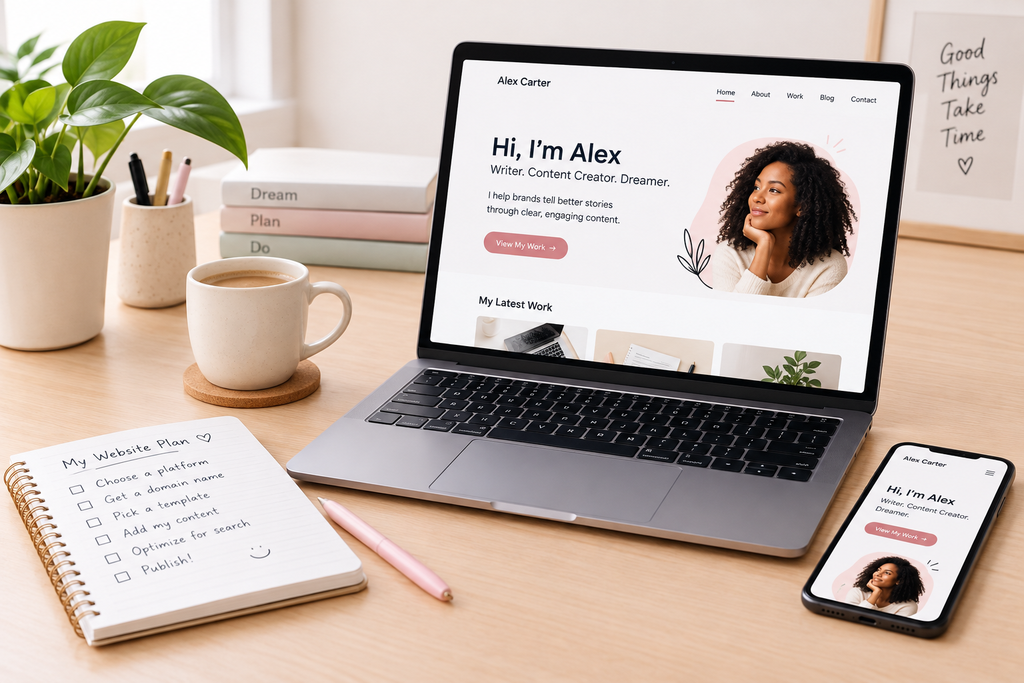
- Your homepage clearly explains who you are and what you do.
- All important pages are complete.
- Your navigation links work.
- Your contact form or contact details work.
- Your images load correctly.
- Your website looks good on a phone and a computer.
- There are no obvious spelling or grammar mistakes.
- Your domain and publishing settings are correct.
- Your website’s privacy information and any required notices are in place.
Once you are satisfied, publish the site.
Open it in a private browser window or on another device to check what visitors see. Then share the link with a friend or colleague and ask them to try navigating it.
You can continue improving the website after it goes live. You do not have to wait until everything is perfect.
How Much Does It Cost to Build a Personal Website?
The cost depends on your platform, domain, and the features you need.
| Expense | What to expect |
|---|---|
| Website builder | Some platforms offer free plans; paid plans unlock additional features. |
| Domain name | Usually an annual expense, with prices varying by extension and registrar. |
| Hosting | May be included with a hosted website builder or purchased separately. |
| Templates | Free templates are widely available; premium options are optional. |
| Extra tools | You may pay for email, advanced forms, analytics, or other features, depending on your needs. |
| Developer | Optional if you use a no-code platform and build the website yourself. |
You can begin with a free plan, test your layout, and upgrade when you need a custom domain or additional functionality.
If you choose a self-hosted WordPress website, remember to budget for hosting and a domain. You may also need to account for backups, security, and other maintenance.
The important thing is to avoid paying for features you do not currently need. A basic portfolio or personal website rarely requires expensive add-ons at the beginning.
Common Mistakes to Avoid
Building a website yourself is relatively straightforward, but a few mistakes can make the process harder than it needs to be.
Spending too long choosing a design. Select a suitable template and focus on your content. You can improve the appearance later.
Adding too much information. Keep your homepage focused on your most important message. Visitors can explore other pages for details.
Ignoring mobile users. Always check how your website looks on a phone, not just your computer.
Buying unnecessary tools. Start with the features you need rather than paying for every available upgrade.
Waiting for perfection. Launch a useful first version and improve it as you learn what visitors need.
Forgetting to maintain the site. Review your content occasionally, update outdated information, and check that your links and forms still work.
Final Thoughts
Building a personal website without hiring a developer is entirely possible, even if you have never created a website before.
Choose a beginner-friendly platform, select a clean template, purchase a domain when you are ready, and add the pages that matter most. Then check the site on different devices and publish it.
You do not need a complicated design or a large budget to create a useful online presence. Start with the basics and improve your website as your goals grow.
Ready to get started? Choose a platform, set aside a few hours, and build the first version of your website. Your goal is not to create the perfect site on day one. It is to give your work, ideas, and professional identity a place to live online.